
Warehouse Network Infrastructure
Warehouse operations can't afford dead zones, dropped scanner connections, or WMS outages. Office-grade WiFi deployed in an industrial environment was never designed for this - and it shows.
The warehouse wireless and WMS owners approve RF design, scanner settings and acceptance criteria. SRS installs approved APs and cabling and records the agreed scanner test routes and field exceptions.
Who can deploy networks across a warehouse and logistics portfolio?
SRS Networks coordinates cabling, fiber, racks and wireless deployment across warehouse sites. Start with rack elevations, scanner models, traffic paths and operating windows. Agree the test routes with the warehouse team before installation; a signal reading alone does not establish that picking, packing and shipping workflows work.

Why Office WiFi Fails in Warehouse Environments
Warehouses are one of the most demanding RF environments in existence. Metal racking, concrete, forklifts, and temperature extremes create conditions that standard networking equipment isn't built to handle.
WiFi Dead Zones Throughout Racking Aisles
Dense metal racking, high-bay shelving, and concrete flooring absorb and reflect RF signal in ways a standard office AP layout can't account for. The result is dead zones exactly where your pickers and forklifts need coverage most.
Handheld Scanners Dropping Mid-Scan
When a barcode scanner loses its connection mid-transaction, workers either re-scan and risk duplicate entries, or wait and kill throughput. Either way, the WMS takes the hit and the floor slows down.
WMS Connectivity Breaks Under Load
Warehouse management systems require consistent, low-latency connections - especially during receiving surges and end-of-shift put-away operations. Consumer-grade infrastructure can't sustain that under real operational load.
Consumer-Grade Hardware Fails in Industrial Environments
Dust, temperature swings, vibration, and humidity destroy standard office networking hardware. Equipment that works fine in a climate-controlled server room has a short lifespan inside a warehouse or cold storage facility.
No Signal at Loading Docks and Receiving Areas
Dock doors, staging areas, and receiving bays are often the last places coverage reaches - or doesn't. Drivers, loaders, and receiving clerks lose connectivity right at the point where accurate scan data matters most.
Infrastructure Installed for Industrial Reality.
Build the installation sequence around released aisles, safe lift access and active dock operations. Mount and cable the equipment at the approved locations, then document any field condition requiring a design decision.
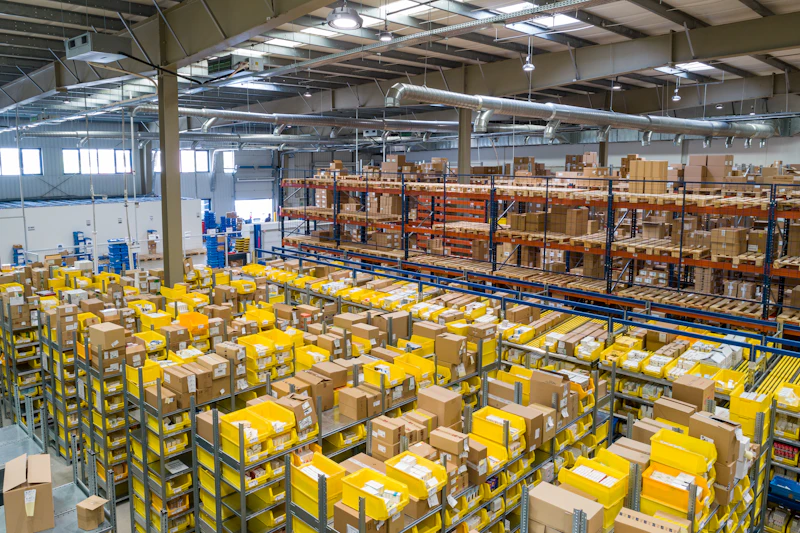
Complete Industrial Network Deployment
Coordinate dock and aisle access, install specified network equipment and deliver AP locations, cable schedules and physical test records for warehouse acceptance.
Approved Warehouse AP Plan
Verify access to approved AP locations against the actual rack layout, then install mounts and cable routes. The wireless designer owns coverage modeling and channel or power decisions.
Warehouse Hardware Installation
Install the equipment, enclosures and cabling specified for the warehouse conditions. The responsible designer approves ratings for dust, cold storage and other environmental requirements.
Scanner Acceptance Support
Record customer-defined scanner test routes after the physical deployment. The network and WMS owners control roaming settings, QoS and application changes and approve the test results.
Dock and Staging Installation
Install approved APs and cable routes serving loading docks, receiving and staging areas. Coordinate aisle or dock closures and document inaccessible work for the operations lead.
Office-Grade WiFi in a Warehouse vs. SRS Industrial Deployment
Compare installation evidence against the approved warehouse plan. AP identifiers, mounting locations, cable tests and recorded exceptions show what was installed; the wireless and WMS owners separately judge scanner workflow performance.
Facilities We Deploy In
SRS Networks has deployed industrial network infrastructure across distribution centers, 3PL facilities, manufacturing floors, and cold storage environments - each with unique RF challenges and operational demands.
Distribution Centers
High-throughput distribution operations depend on scanner connectivity at every pick, pack, and ship station. SRS installs the specified cabling and hardware under the customer-approved design; record site access, field tests and specialist acceptance dependencies before handoff.
3PL Warehouses
Third-party logistics providers run multi-client operations that can't tolerate downtime. SRS installs the specified cabling and hardware under the customer-approved design; record site access, field tests and specialist acceptance dependencies before handoff.
Manufacturing Floors
Production lines, assembly stations, and quality control checkpoints all require reliable connectivity. SRS installs the specified cabling and hardware under the customer-approved design; record site access, field tests and specialist acceptance dependencies before handoff.
Cold Storage Facilities
Freezer environments present extreme challenges for networking hardware. SRS installs the specified cabling and hardware under the customer-approved design; record site access, field tests and specialist acceptance dependencies before handoff.
Industrial Environments Demand Purpose-Built Networks.
Most network vendors don't differentiate between an office and a warehouse. We do. Every warehouse deployment starts with a facility-specific RF survey, uses hardware rated for the environment, and is validated against real scanner and WMS workflows before we hand off the keys.
Explore More from SRS Networks
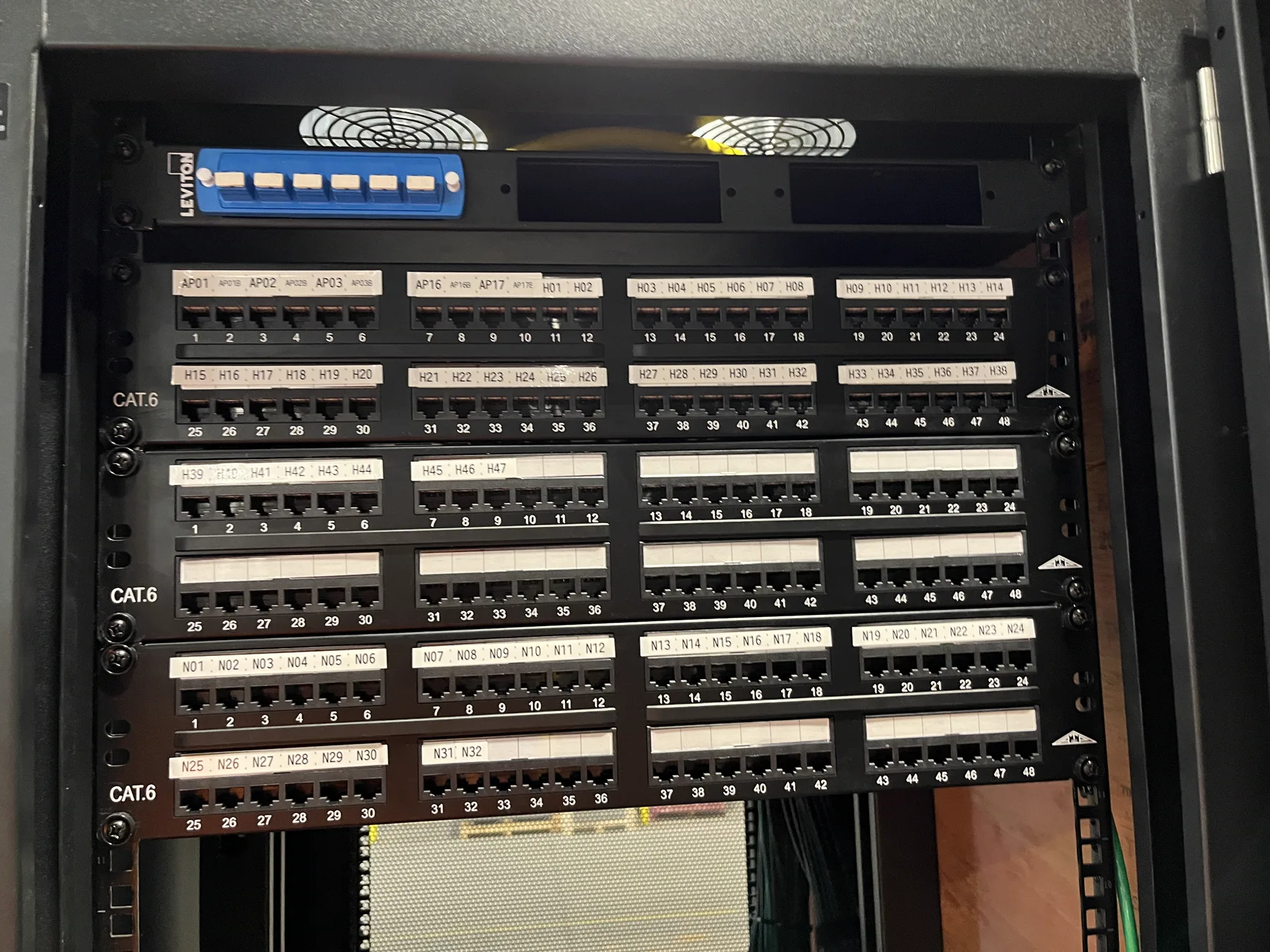
Warehouse MDF and IDF Cabling Buildout
See released field photographs of high-bay pathways, rack installation, copper termination, fiber management, and completed communications spaces.
Ready to Build a Network Your Warehouse Can Rely On?
Send the warehouse list, issued drawings, equipment schedule and available aisle or dock work windows. Identify who will witness the agreed field checks and receive the closeout files.
Agree the deployment scope before scheduling crews
Use these questions to separate site readiness, installation and acceptance responsibilities in your request for a proposal.
Who can deploy networks across a warehouse and logistics portfolio?
SRS Networks coordinates cabling, fiber, racks and wireless deployment across warehouse sites. Start with rack elevations, scanner models, traffic paths and operating windows. Agree the test routes with the warehouse team before installation; a signal reading alone does not establish that picking, packing and shipping workflows work.
What belongs in a warehouse network site survey?
Record rack height and loading, ceiling access, dock areas, freezer boundaries, communications rooms, power and cable pathways. Include the devices that move through each zone. Flag areas that cannot be surveyed under representative stock conditions so the design and acceptance plan carry those limits.
How should scanner roaming be tested?
Use the approved handheld models on representative pick routes and between access-point coverage areas. Record disconnects, application behavior and the conditions during the test. The warehouse application owner should define the acceptable result and approve any exceptions; an installer should not invent a universal roaming threshold.
Can work proceed while the warehouse operates?
Plan lifts, aisle closures and cable work with the site operations lead. Separate protected work areas from forklift and pedestrian routes, and agree the restoration point for each shift. The project schedule should show which tasks need an outage or temporary access restriction.
Can existing warehouse cabling be reused?
Survey the cable type, route, labeling and condition, then test against the approved link requirements. Separate verified reusable links from untested assumptions in the estimate. Any failed or inaccessible link needs an agreed replacement or investigation allowance.
What should warehouse closeout include?
Specify cable identifiers, rack and port schedules, certification results, wireless test records, photographs and unresolved exceptions. Connect each record to a site and location identifier. The warehouse team should receive the accepted package before the program moves from installation to routine support.
Which conditions change the installation budget?
High-bay access, lift availability, cold-storage boundaries, long fiber runs and restricted shift windows affect the field scope. Hardware and licensing are separate estimating inputs. Use the surveyed quantities and work windows to compare bids instead of comparing an unexplained price per warehouse.
Does network installation include WMS changes?
Warehouse management software configuration, scanner application changes and process redesign need named owners in the scope. SRS field deployment can be coordinated with those teams. Do not treat a cabling or access-point installation order as authorization to change the warehouse application.
Prepare the site-survey checklist, compare the installation deliverables in each bid, and use the RFP scope template to record the work you want priced.
Email the site list and current drawings to partners@srsnetworks.com. Cheryl routes the request to the deployment team.