Skip to content
SRS Networks
IP Camera Installation

Commercial Security Camera Installation

Plan the scope and request an estimate

Define the intended views, recording needs and supported access with your security and platform teams. Camera model or recorder type alone does not establish coverage, remote access or a multi-site management capability.

SRS Networks installs approved commercial camera mounts, cabling, PoE connections and recording hardware. Your security, network and platform owners approve coverage, configuration and operational acceptance.

The short answer

SRS Networks installs commercial IP camera infrastructure for multi-site businesses across the 48 contiguous states, Alaska, and Hawaii. We execute approved camera mounting, Cat6 and PoE cabling, network connections and NVR installation. The named designer and platform team approve coverage, retention, remote access and specialist commissioning; field checks and handoff records follow one deployment standard.

Plan the scope

Define the view and recording test for every camera

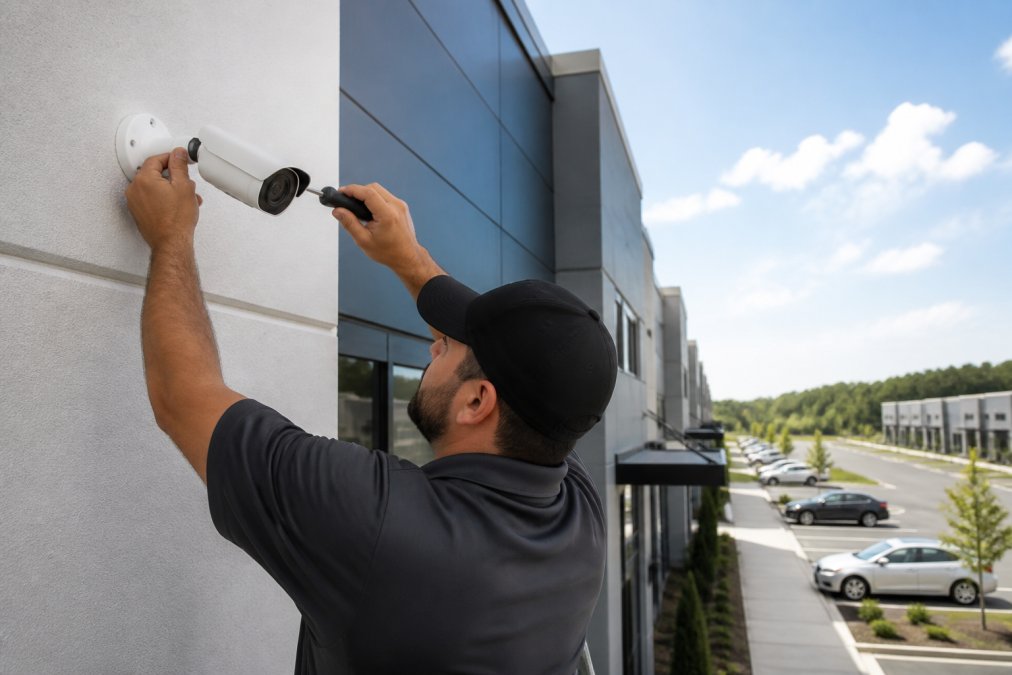
Commercial security camera installation connects approved camera positions to the network and recording platform. SRS coordinates mounting, cabling and the agreed commissioning checks with your security owner, then records the accepted view and open exceptions.

Scope business security camera installation by the intended view

A camera count does not specify what the owner needs to see. Use a camera schedule that links position, intended view and recording requirement. Confirm the acceptance conditions with the security owner before changing a location.

Select a commercial camera installation company by commissioning evidence

Ask who coordinates network access, recorder enrollment and return visits. Require each camera ID to match the cable record and acceptance check. A mounted device is only one part of an accepted recording system.

Bring these details to the estimate

  • Camera schedule, approved views and mounting locations
  • Camera models, PoE/network requirements and cable routes
  • Recording-platform owner and approved recording requirements
  • Site access, work window and acceptance contact

What changes the price

Height, outdoor access, new cable routes and reuse of existing infrastructure affect field cost. Equipment licensing, storage, lifts and return visits should appear as separate allowances.

The security owner approves camera views, recording settings and access policy. Monitoring subscriptions and compliance decisions are separate responsibilities; installation alone does not certify compliance.

Make acceptance part of the work order

Before mounting
Confirm the approved view, mounting surface, access and cable path.
Commissioning
Verify live view and an agreed recording/playback test with the platform owner.
Handover
Return camera IDs, port references and the approved acceptance record through the project channel.
Download the camera commissioning worksheet (PDF)Download the vendor evaluation scorecard (PDF)

Compare the evidence behind each proposal

Use these checks with the downloadable scorecard. Record the bidder's evidence and any exclusions before comparing price.

Commercial security camera installation vendor evaluation criteria
CheckEvidence to request
View acceptanceAn approved camera schedule with view and playback checks
Network readinessNamed owner for PoE, addressing and recorder/platform enrollment
Scope claritySeparate installation, equipment, storage, licensing and monitoring lines
Request a budget estimate

Opens an email with the scope checklist. Prefer a form? Send a project inquiry.

Field installation under an approved security design

Send the approved drawings, equipment schedule, site list and named design and acceptance contacts. We confirm the installation package, required qualifications and handoff responsibilities before mobilization.

Video surveillance system installation

Install approved commercial cameras, mounts, cable runs and PoE connections. Record camera identifiers, intended views, network ports and field observations. The security designer approves coverage and privacy boundaries; the named platform team owns restricted configuration and final system acceptance.

Supporting security network installation

Network video recorder installation

Rack and connect the approved NVR, storage and network interfaces. Record serial numbers, patching, power and observed recording and retrieval checks against the acceptance plan. The designated VMS or NVR administrator approves licenses, retention, permissions and remote access; installation does not include ongoing video monitoring.

Camera bandwidth, storage and PoE planning
Request an installation scope review
The Problem

The Problem with Legacy Camera Systems

Analog cameras, local DVRs, and no network segmentation aren't just inconveniences. They're blind spots in your security posture that leave you reactive instead of prepared - and they get more expensive to fix the longer they stay in place.

No Remote Access to Camera Footage

Remote viewing depends on the recorder, platform, network and authorized access policy. Check the existing system and supported clients before defining an upgrade.

Blind Spots and Inadequate Coverage

Camera systems installed without a proper site survey leave critical areas uncovered. Loading docks, stairwells, parking structures, and secondary entrances routinely fall outside the coverage footprint - and nobody notices until an incident happens.

No Centralized Viewing Across Multiple Sites

A multi-site viewing requirement needs an approved platform, licensing and access policy. Confirm supported sites and administrator responsibilities rather than assume physical camera installation supplies a central portal.

Local Storage That Keeps Running Out

Recording retention depends on the approved settings, available storage and actual scene activity. The recording-platform owner sets the policy and determines how retention and storage health will be checked.

Cameras Sharing the Production Network

Cameras plugged directly into the production network without VLAN segmentation introduce risk. A compromised camera - and IP cameras are routinely targeted - sits on the same network segment as your servers, workstations, and sensitive data.

The Solution

IP Camera Infrastructure Built for Commercial Networks.

SRS Networks executes approved IP camera deployments after a site-readiness survey. We install the specified PoE infrastructure, camera connections and NVR or VMS hardware. Your designated platform team approves restricted configuration and operational acceptance.

Approved camera ports and network-policy handoff with recorded checks
Specified camera cabling and compatible PoE connections where required
Approved recording hardware installed for the selected platform
Camera placement follows the approved coverage plan, with observed views recorded for review
Remote access and supported clients approved by the IT/platform owner
Commercial security project team reviewing building plans in an office
What your camera infrastructure looks like post-deployment
Cameras
Approved camera positions and observed views, with exceptions recorded
Network
Network-owner-approved ports and segmentation checks; capacity reviewed separately
Power
Specified cable and power connections for the approved camera models
Storage
Approved recording hardware and platform-owner settings
Access
Authorized remote-access checks on platform-supported clients
Visible. Isolated. Remote-Ready.
Physical installation coordinated by SRS Networks
What's Included

Complete IP Camera Infrastructure

The work order assigns surveys, approved camera placement, cabling and recording-hardware connections separately from security design and platform configuration. Sizing the budget first? See what IP and PoE camera installation costs per camera and per site.

Approved Camera Plan Readiness

Confirm the approved camera schedule, intended views, mounting conditions and cable paths before dispatch. The security designer approves coverage and privacy decisions; SRS records physical readiness and refers placement changes for approval.

On-site survey and coverage mapping
Designer-approved camera and location schedule
Observed views and placement changes referred for approval

PoE Network Infrastructure

We install the approved structured cabling and PoE switching infrastructure that powers and connects your cameras - clean, labeled runs from camera to IDF with proper pathway management throughout.

Cat6 camera cabling and pathway work
Approved PoE switch mounting and connections
Approved port plan and network-owner checks

NVR / VMS Platform

Rack and connect the approved recording hardware and network interfaces. The designated platform administrator owns licenses, recording profiles, retention and multi-site software configuration; coordinate the agreed recording/playback checks with that party.

Approved NVR hardware mounting and connections
Recording settings owned by the platform administrator
Assigned platform commissioning handoff

Remote Access & Management

The authorized IT and platform team approves remote access, supported clients, permissions and security policy. SRS coordinates physical connectivity and the agreed witnessed access checks; installation does not establish ongoing access administration or monitoring.

Witnessed approved remote-access checks
Supported clients confirmed by the platform owner
User permissions retained by the authorized administrator
The Difference

Camera Installation: Scope and Acceptance Evidence

Agree what the physical installation must record, and what the platform owner must accept for a network-integrated IP camera system.

Category
Buyer question
Evidence to request
Camera technology
Which models and views are approved?
Released device schedule and observed images
Remote access
Who approves clients and permissions?
Named administrator and witnessed authorized checks
Coverage planning
Which views could not be accepted?
Approved positions, observed views and documented coverage exceptions
Network segmentation
Who approves ports, policy and capacity?
Network-owner decisions and recorded connectivity checks
Multi-site management
Which platform and licenses cover these sites?
Platform-provider scope and commissioning handoff
Storage
Who sets retention and sizes recording storage?
Approved assumptions and initial recording/playback results
Power delivery
What power and cable interfaces do these models need?
Approved device-specific installation plan
System integration
Who configures and accepts the interfaces?
Named specialist owner and authorized acceptance record
Real-World Use Cases

Built for Your Facility

SRS Networks deploys IP camera infrastructure across commercial office buildings, retail environments, warehouses, and multi-site corporate portfolios - each with different coverage requirements and network constraints.

Commercial Office Buildings

Define approved views for lobbies, server rooms, parking structures and secondary access points. The security and platform teams approve privacy, user access and any centralized review requirements.

Retail Loss Prevention

Document approved views for sales floors, stockrooms and loading zones. The recording-platform owner determines supported event review, remote access and operational acceptance.

Warehouse & Distribution Centers

Large interior spaces, dock doors and exterior areas require an approved camera and cable schedule. Confirm device power, pathway distances and network readiness rather than assume one PoE arrangement fits every location.

Multi-Site Corporate Security

For a multi-site program, confirm the platform coverage, licenses and administrator roles. SRS coordinates the approved physical infrastructure and site-specific handoff records.

Why SRS Networks

We Don't Just Mount Cameras - We Install the Approved Security Infrastructure.

SRS coordinates the approved physical camera and network connections with the security designer, IT owner and authorized commissioning team. Keep observed views, performed checks and unresolved exceptions together for the acceptance owner.

Approved camera VLAN assignments, with segmentation checks recorded for the network owner
Field delivery from site survey and cabling to documented checks with the authorized NVR commissioning team
Approved cable, pathway and power interfaces documented for each camera
Physical installation standards coordinated across sites with the named VMS provider
the 48 contiguous states, Alaska, and Hawaii
Served Nationwide
PoE
Powered
VMS
Centralized
Remote
Access
Straight answers

Commercial IP Camera Installation Questions

What facilities, IT, and security teams ask before standardizing camera infrastructure across multiple locations.

What is included in commercial IP camera installation?
SRS installs approved commercial cameras, mounts, cabling, PoE connections and recording hardware under the project scope. The security designer approves views and privacy boundaries; the authorized network and platform teams own policy, VMS configuration, retention and remote access. Agree the physical and platform tests, field records and exceptions before dispatch.
Who installs commercial security cameras across multiple locations?
SRS Networks deploys commercial IP camera infrastructure across the 48 contiguous states, Alaska, and Hawaii. Across its enterprise infrastructure service portfolio, SRS has supported 900+ multi-site programs across 10,000+ locations. This is a companywide deployment record, not a camera-only project count. Commercial operators can agree a camera, cabling, PoE and closeout standard for their approved sites.
Can camera systems be standardized across every location?
An approved camera, mounting, cabling, naming and closeout standard can be repeated while each site records its coverage and access exceptions. The security, network and platform owners approve views, VLAN policy, VMS profiles and recording settings. SRS coordinates physical installation and documented handoffs against that standard; identical hardware does not establish identical site performance.
Do IP cameras need a separate network or VLAN?
The network-policy owner should assess and approve segmentation, access controls and management paths for the selected camera system. SRS follows the approved port and cable plan and records the agreed connectivity checks. A separate VLAN name alone does not prove isolation, available bandwidth or an accepted security policy.
How do you choose between an NVR and a VMS platform?
The choice depends on site count, camera count, retention, redundancy, remote viewing, analytics, existing standards, and who will administer the system. A local NVR may fit a small standalone site, while a centralized VMS is usually easier to govern across a larger portfolio. SRS Networks deploys against the customer's approved platform and operating model.
How is video retention storage calculated?
The responsible security and recording-platform team sets retention days and sizes storage against camera count, image settings, codec, scene activity, schedule and any redundancy requirement. Record those assumptions and the approved hardware before installation. Initial recording/playback checks do not by themselves prove that a future retention period has elapsed successfully.
Does SRS Networks install residential security cameras?
No. This service is for commercial and enterprise environments such as offices, retail portfolios, warehouses, healthcare facilities, hospitality properties, campuses, and multi-site operators. The work is scoped around business networks, PoE infrastructure, centralized management, documentation, and repeatable deployment standards rather than homeowner or do-it-yourself camera systems.
What information is needed for a commercial camera installation quote?
Provide the address list, floor plans or site photographs, target coverage areas, camera counts if known, retention requirement, preferred VMS or NVR platform, network and PoE availability, access hours, and target schedule. SRS Networks will identify survey gaps and turn the inputs into a site-by-site installation and validation scope.
What should a business security camera installation quote include?
Include camera locations, cable and mounting work, recording-platform dependencies and the required commissioning checks. Separate equipment licenses, storage and monitoring from installation labor.
How is commercial security camera installation accepted?
The security owner verifies the approved view and recording/playback behavior for each camera. Record exceptions and their owners alongside camera IDs and network port references.

Deployment Markets

Commercial Security Camera Installation by Market

SRS Networks deploys across the 48 contiguous states, Alaska, and Hawaii. Explore local coverage in our most active metro markets.

Plan the Camera Scope for What's Happening on Your Property?

Whether you're replacing analog cameras, building out surveillance for a new facility, or expanding coverage across multiple sites, SRS Networks will review and execute the approved IP camera field scope against approved views and connection requirements, with observed results and open exceptions recorded.

Separate commercial installation from active monitoring

Commercial camera installation covers approved locations, mounts, cabling, network connections and agreed recording tests. Staffed monitoring and incident response are separate services. Identify the security owner and recording-platform administrator before deployment.

Who installs cameras for a commercial property?

A commercial installation crew works from the approved device and coverage plan. Confirm access, mounting conditions, cabling and acceptance responsibility before award.

Scope enterprise active deterrence equipment, retrofits and rollout

Review the active deterrence planning pages for equipment, field responsibilities, pilot acceptance and sample closeout records.