
A printable result-audit, exception, reconciliation and turnover workbook.
Print-ready workbookCopper Cabling Field Guide
Cat6 and Cat6A Data-Cabling Testing and Closeout Guide
make every result traceable to an installed link.
A defensible Cat6 or Cat6A closeout identifies the required topology, matches the tester adapters and limit to that topology and category, assigns one stable identifier to each installed link, preserves failed results and passing retests, reconciles the final test population to the outlet and panel schedules, and turns over native result files, readable reports, as-built drawings, rack records, photographs, exceptions, and acceptance.
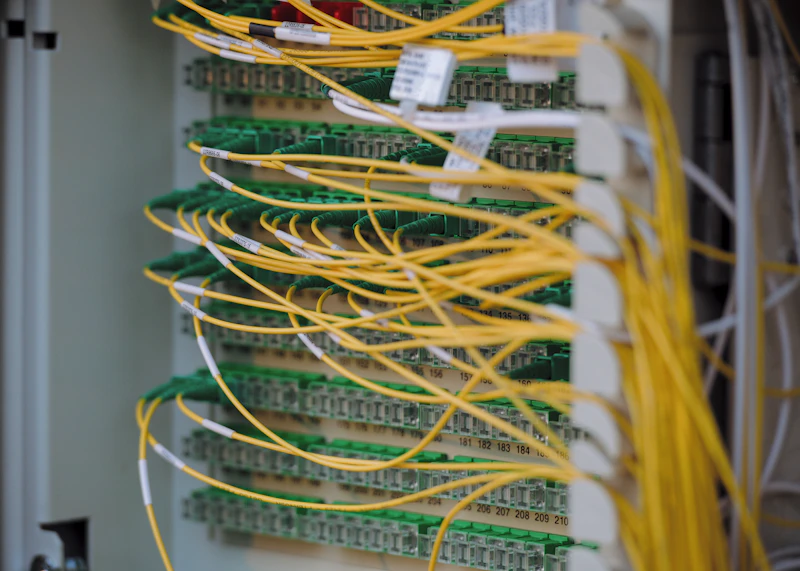
One link identifier should connect the label, schedule, drawing, result, and correction record
1996
Founded
900+
Deployments
10,000+
Sites served
the 48 contiguous states, Alaska, and Hawaii
Coverage
SRS Networks is a nationwide IT infrastructure deployment partner headquartered in South San Francisco, California, serving multi-site enterprises across the 48 contiguous states, Alaska, and Hawaii since 1996. This page turns field-delivery requirements into a scope, comparison, and acceptance record a buyer can use.
Free and Ungated
Download the actual template
Choose the print-ready copy or complete the interactive PDF electronically. No email form or account is required.
An interactive copy for recording setup, populations, failures and signoff.
Fillable PDF workbookTest-to-Closeout Diagram
A passing result becomes useful only when it reconciles to the site record
The same identifier should connect the physical label, schedule, drawing, native result and correction history.
1
Identify
Freeze labels, topology, category, limits and required populations
2
Test
Capture native results using the approved adapters and configuration
3
Audit and retest
Find missing links, invalid setup, failures and corrective actions
4
Reconcile
Match results to drawings, schedules, photographs and final acceptance
Copper test and closeout record
| Record | Required field | Audit question |
|---|---|---|
| Test basis | Category, topology, standard or owner limit, and specification revision | Was the link tested to the contracted requirement? |
| Instrument | Main/remote IDs, software, adapters, and required service status | Can the test setup be reconstructed? |
| Link identity | Building, room, rack, panel, port, and outlet | Does the result resolve to one installed link? |
| Result | Final status, length, measured parameters, date, and operator record | Is the complete result available, not only a pass count? |
| Correction | Original failure, cause, repair, and retest | Is every exception visibly closed? |
| Closeout | Native files, PDF export, schedules, as-builts, photos, and signoff | Can operations support the link later? |
Test the topology that was installed
Permanent link, channel, and modular plug terminated link are not interchangeable labels. The design and scope should select the topology, and the technician should use the matching adapters and limit rather than choosing whatever produces a result fastest.
Make the link ID the primary key
One identifier should connect the physical outlet, cable label, patch-panel port, drawing, schedule, photograph, test result, correction record, and acceptance. If those records use different names, the owner inherits a reconciliation project instead of a closeout.
Audit the set, not only individual passes
A folder can contain only passing reports and still be incomplete. Compare the final result population to the installed count, investigate duplicates and missing links, and retain the history that explains corrections and approved exceptions.
Field Guide
Build the acceptance record step by step
Before testing: record the termination convention
For commercial Cat5e, Cat6 and Cat6A work, document T568A or T568B against the approved design and existing plant. The installed connector model and its manufacturer instructions govern the termination detail.
Jack and patch-panel identification
Record the connector model and selected A/B convention. Technicians should follow that product's jack or panel labels; a plug drawing viewed from another orientation is not a substitute for its termination instructions.
Retained Cat5e
If existing Cat5e stays in service, identify the intended application, test evidence, physical condition and owner acceptance. Retention does not turn the link into a Cat6 or Cat6A installation.
Scope of this checkpoint
This is a buyer acceptance checkpoint for communications cabling. It is not a consumer crimping tutorial or an instruction for power, aircraft-control or coaxial cable termination.
Separate wiremap, qualification and category certification
Specify the evidence the contract requires before choosing the test tool. A basic connectivity result and a category certification report establish different things.
Verification
Wiremap checks conductor connectivity and, with a suitable tool, pair faults. A passing wiremap alone does not certify Cat6 or Cat6A transmission performance.
Qualification
Qualification evaluates support for a stated network application. It can help assess retained cable, but does not replace the category certification required by a contract or manufacturer program.
Certification
Certification measures the installed link against the selected category or class limits with the matching topology and adapters. Deliver the required detailed results, rather than only a connectivity light or pass total.
1. Choose Cat6 or Cat6A in the design
Category is a design and procurement decision. Acceptance verifies the installed system against that decision; it should not retroactively redefine the requirement.
Application and lifecycle
Document the intended applications, port use, power delivery, pathway constraints, expected service life, and owner standard. Use the designer's requirement rather than selecting a category from a marketing comparison.
Matched components
Record the cable, connectivity, cords or direct-attach termination, and any manufacturer-system requirements. A higher-category cable alone does not establish an end-to-end higher-category system.
PoE populations
Identify powered-device links and any project requirement for resistance-unbalance or other power-delivery test limits. Cameras and access points may use an MPTL topology that needs its own adapters and limit.
Change control
When a component, pathway, topology, or category changes, obtain approval and update the test basis before closeout. Do not leave the tester configuration as the only record of the change.
2. Configure the field test correctly
The selected limit determines what the result establishes. Capture the setup before production testing begins.
Limit and adapter
Match the specified category, permanent-link/channel/MPTL model, cable construction, connector arrangement, and project or manufacturer limit. Treat an instrument warning about incompatible adapters as an invalid setup, not a nuisance.
Project file
Load the approved naming convention and organize results by site, building, floor, closet, or phase. Lock the convention early enough that technicians do not create parallel naming systems.
Instrument readiness
Record the instrument and remote IDs, software, adapter condition, reference process when required, battery readiness, date/time, and current service status required by contract or manufacturer program.
Pilot results
Run and review a small set of representative links before testing hundreds. Confirm IDs, topology, limits, plots or detail level, export format, and owner access while correction is inexpensive.
3. Review results as project data
A passing result is one record in a controlled population. The audit must test completeness and traceability as well as electrical performance.
Population check
Reconcile the number of final results to installed and accepted links. Flag missing IDs, duplicate final results, results with no physical link, and links with no result.
Identity check
Compare result names to panel and outlet schedules. Confirm building, closet, panel, port, outlet, floor, or zone elements remain consistent across every artifact.
Exception check
Review failures, marginal or informational flags, unusual lengths, field re-certification, inconsistent limits, and tests outside the expected date range. Apply the project's written disposition rule.
Correction record
Describe whether the cause was termination, component, damage, routing, setup, or identification. Preserve the failed result and passing retest instead of overwriting the history.
4. Deliver an operations-ready closeout
The test report becomes useful when it is joined to accurate physical and administrative records.
Result formats
Provide the native database or project file and a readable export organized by the agreed hierarchy. Verify that the owner can open the native format or has a supported viewer.
As-built records
Turn over floor plans, outlet and panel schedules, rack elevations, backbone or interconnect details, and approved deviations using the same identifiers as the tests.
Photographic record
Include labeled overview and detail images for telecommunications rooms, racks, panels, representative outlets, pathway transitions, penetrations, and any concealed work required by the scope.
Administrative closure
Include approved substitutions, requests for information, change records, inspection documents, warranty submission when applicable, punch-list closure, open exceptions, and signed site acceptance.
Primary technical references
Use the current project specification, adopted code, approved design, and manufacturer instructions for the final decision. These primary references explain the testing and planning basis used in this resource.
Fluke Networks: verification, qualification and certificationManufacturer explanation of the different questions answered by the three testing levels.Leviton: Cat6A jack installation instructionsProduct-specific example of T568A/T568B labeling. Follow the instructions for the connector actually selected in the project.TIA TR-42 copper cabling systemsOfficial TIA overview of the committees responsible for balanced twisted-pair cabling, premises infrastructure, administration, pathways, and test methods.Fluke Networks: choosing the test limitPrimary guidance on why category, adapters, topology, contract requirements, and manufacturer requirements must align.Fluke Networks: MPTL test limitsManufacturer guidance for direct-connected device links such as access points and cameras.
When this is not the right approach
This guide does not select the category, topology, code edition, warranty program, or acceptance limit for a specific project. Those decisions belong in the project design and executed scope and should be reviewed by the responsible qualified parties.
Straight answers
Use the convention documented in the approved design and reconcile it with the existing plant. Follow the selected jack or patch-panel manufacturer's labels and instructions. Record that choice in the installation and acceptance documents so a visual plug diagram is not mistaken for the connector's termination layout.
No. Wiremap verifies connectivity and pair arrangement within the tool's capabilities. Category certification requires the specified transmission tests, limit, link model and adapters; keep the full result with the installed link ID.
Only where the approved scope allows retention and the owner accepts documented evidence for the intended application. Identify the retained links separately and record the test basis, condition and exceptions. A retained Cat5e link should not be represented as a new Cat6 or Cat6A certified installation.
No. The selected test limit should match the category, topology, installed components, executed specification, and any applicable manufacturer program. A Cat6 passing result does not establish Cat6A acceptance merely because Cat6A cable was installed.
Specify permanent-link testing when the owner needs acceptance of the fixed installed cabling independent of user patch cords. The scope should state the topology and endpoints so the technician selects the correct adapters and limit rather than assuming a channel test is equivalent.
A modular plug terminated link is a defined topology in which horizontal cable is terminated with a plug at the device end, commonly for directly connected access points, cameras, and similar equipment. It requires an appropriate test setup rather than treating the link as an ordinary permanent link with mismatched adapters.
Request the native tester project or database, a readable PDF or equivalent export, the link schedule used for reconciliation, the exception and retest history, and any required instrument or warranty records. The native file preserves more audit detail than a pass-count summary.
Compare the unique final result identifiers against the accepted outlet and panel schedule. Investigate links with no result, results with no installed link, duplicates, impossible or unexpected lengths, inconsistent naming, different limits, and tests outside the expected project window.
No. Keep both records and document the correction. The passing retest establishes final performance, while the failed result and repair note establish that the exception was found, understood, and closed rather than hidden.
No. Certification records measured link performance under a selected test setup. An as-built drawing and schedules record where the link is, how it is identified, which pathways and spaces it uses, and how operations should find it later.
Use one link-ID convention, folder hierarchy, approved test setup, exception log, photograph list, as-built format, and acceptance form across the program. Preserve site-specific deviations and local inspection records instead of forcing different buildings into false uniformity.
Put a field-executable scope in front of the crew
Email the site count, geography, schedule, and current documents. Cheryl routes the request to the right deployment lead.
Plan a Cabling Closeoutpartners@srsnetworks.com · (866) 224-3636