
Networks Built for How Schools Actually Learn.
Campus IT approves classroom density, filtering policy and the wireless design. SRS installs the specified APs, equipment and cabling by building, records test results and hands exceptions to the campus owner.
Why Education Networks Break Down
Most school networks were built for a different era of instruction. Flat architectures, underspecified access points, and no content filtering policy aren't just performance problems - they're compliance liabilities that put E-Rate funding and student data at risk.
WiFi Drops During Online Testing Windows
State-mandated online assessments require every student device to maintain a stable connection simultaneously. When the network can't handle that density, test scores get invalidated and districts face costly re-testing.
BYOD Programs Overwhelming Existing Infrastructure
One-to-one device programs and bring-your-own-device policies triple or quadruple the number of connected devices overnight. Networks designed for a handful of classroom computers never recover.
No CIPA-Compliant Content Filtering in Place
Schools receiving E-Rate funding are required by CIPA to filter internet content on school networks. Operating without verified, documented content filtering puts federal funding eligibility at risk.
No Segmentation Between Students, Staff, and IoT
Student devices, administrative systems, building automation, and classroom IoT all on a flat network means one compromised endpoint can reach everything else - including sensitive staff and district data.
Aging Infrastructure Can't Support 1:1 Programs
Switches, access points, and cabling installed a decade ago weren't engineered for 30 devices per classroom. Hardware that was adequate for shared computer labs has no path to supporting modern instructional technology.
Purpose-Built Education Networks with Approved Drawings, Access, and Acceptance.
Install school-specified cabling and APs under an approved building plan, coordinated with teaching periods and examination windows.
End-to-End Education Network Coverage
Coordinate classroom and common-area access, install the approved devices and provide building, rack and port records for district acceptance.
Classroom AP Installation
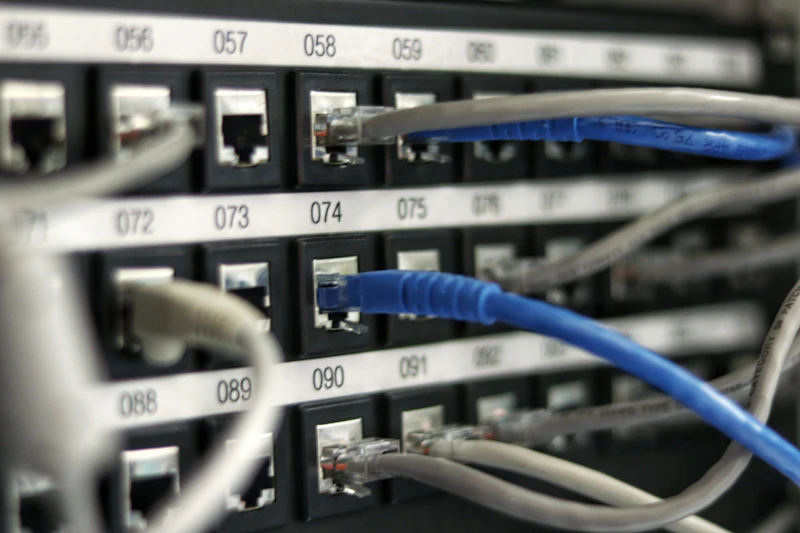
Install access points and cable drops at the locations approved by the campus wireless designer. Record mounting, port labels and site exceptions before the campus team performs its device-load acceptance checks.
School Equipment Installation
Rack and cable school-specified network appliances under the released equipment plan. District IT owns content-filtering policy, software configuration and CIPA or E-Rate eligibility decisions.
Labeled Network Connections
Install and label the physical connections specified for student, staff and building-system equipment. Campus IT owns VLAN assignment, access controls and application validation.
Campus Building Deployment
Coordinate classroom, common-area and outdoor installation by building and approved access window. Record inaccessible areas and route changes for campus approval before proceeding.
Generic School IT vs. SRS Education-Grade Infrastructure
Campus IT approves classroom density, filtering policy and the wireless design. SRS installs the specified APs, equipment and cabling by building, records test results and hands exceptions to the campus owner.
Education Environments We Build For
Campus IT approves classroom density, filtering policy and the wireless design. SRS installs the specified APs, equipment and cabling by building, records test results and hands exceptions to the campus owner.
K-12 School Districts
Multi-campus districts running 1:1 programs require coordinated infrastructure across every building. SRS installs the specified cabling and hardware under the customer-approved design; record site access, field tests and specialist acceptance dependencies before handoff.
Community Colleges
Community college campuses host a mix of traditional students, continuing education learners, and faculty who need reliable access across labs, classrooms, and open common areas simultaneously.
University Campuses
Higher education environments with high device density, research networks, and residential WiFi requirements need purpose-built infrastructure that scales with enrollment - not against it.
Charter Schools and Private Academies
Independent schools often operate with limited IT staff and aging infrastructure. SRS installs the specified cabling and hardware under the customer-approved design; record site access, field tests and specialist acceptance dependencies before handoff.
Campus Installation Requires Academic Access Coordination.
District IT releases the classroom and campus installation drawings and identifies the owners of wireless capacity, filtering and assessment systems. SRS coordinates teaching-area access, installs the approved equipment and cabling, and records field tests and unresolved acceptance dependencies.
Explore More from SRS Networks
Ready to Build a Network Your Students and Staff Can Count On?
Whether you're upgrading aging infrastructure, rolling out a 1:1 device program, or closing compliance gaps before your next E-Rate review - SRS Networks installs to customer-approved designs for education-grade networks that support instruction without compromise.
Agree the deployment scope before scheduling crews
Use these questions to separate site readiness, installation and acceptance responsibilities in your request for a proposal.
Who can coordinate network deployment across university campuses?
SRS Networks coordinates cabling, fiber, racks and wireless installation across education sites. Campus IT and facilities teams set the approved design, access rules and change windows. Use a building-by-building scope and acceptance record to keep the academic calendar and installation sequence aligned.
What should a campus survey capture?
Document building interconnections, communications rooms, pathways, classroom layouts and residence-hall access. Include the device and occupancy assumptions behind wireless design. Flag unavailable buildings and undocumented infrastructure so they remain visible estimating dependencies.
How should work be scheduled around teaching?
Identify examinations, teaching periods, residence access and events that restrict work. Agree the release and restoration window with the campus contact for each building. Summer access can help, but it should be confirmed rather than assumed for the entire campus.
Who owns classroom and research-system acceptance?
Campus IT and the relevant application or department owners should define the validation steps. Record specialist dependencies before changes affect labs, teaching systems or building operations. Network field completion is a separate signoff from successful operation of every connected application.
Can older campus fiber and copper be reused?
Inspect the available records and test the selected links against the design requirements. Distinguish known usable infrastructure from undocumented pathways and links. The project should carry explicit investigation and replacement allowances for conditions the survey cannot establish.
How do you evaluate high-density wireless areas?
Identify the actual teaching, event or residence use and approved client devices. The network designer sets the capacity assumptions and test criteria. Installation acceptance should record the tested conditions and exceptions instead of promising performance from an access-point count alone.
What belongs in a campus network closeout?
Use building, room, rack and port identifiers across photographs, cable schedules, test records and drawings. Name the department receiving each record set. Track unresolved exceptions separately so a completed installation does not hide unfinished specialist acceptance.
What is needed for a campus deployment estimate?
Provide the building list, approved drawings, device quantities, schedule and access restrictions. Identify fiber pathways, permits and specialist systems requiring coordination. The estimate should distinguish physical installation, design decisions, equipment procurement and ongoing support.
Prepare the site-survey checklist, compare the installation deliverables in each bid, and use the RFP scope template to record the work you want priced.
Email the site list and current drawings to partners@srsnetworks.com. Cheryl routes the request to the deployment team.