
Network Switch Configuration That Is Identical at Every Site.
The problem with 150 branches is rarely the hardware. It is that all 150 were configured slightly differently by whoever happened to be onsite, so nothing is reproducible and every ticket becomes an investigation.
SRS Networks writes one config standard, budgets PoE in watts, normalizes firmware, and pre-configures every switch at our staging facilities so it arrives site-ready. Crews rack it, patch it, uplink it, and validate it.
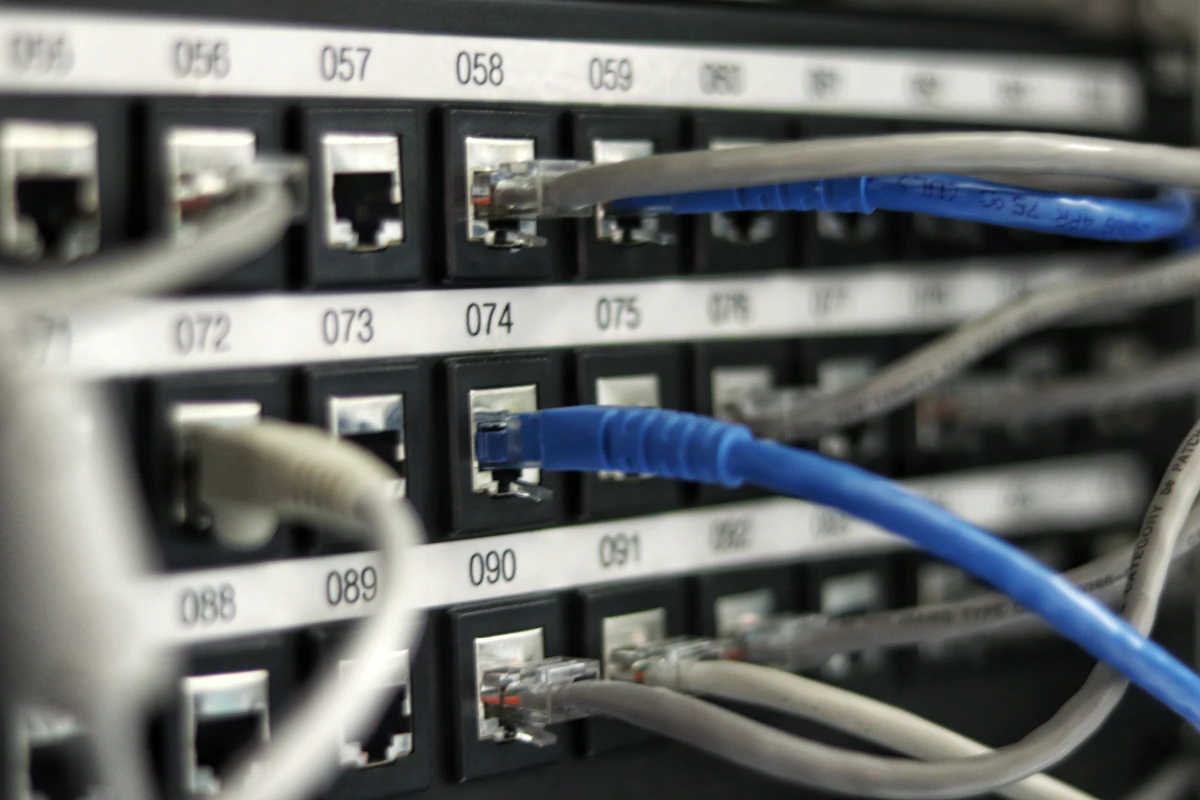
Network switch configuration is the work of defining a single switch build — VLANs, 802.1Q trunks, spanning-tree topology, PoE budget, stacking, uplinks, and hardened management access — and then applying that exact build to every switch in the fleet. At one site it is an afternoon on a console cable. Across 150 sites it is a standards and logistics problem, and that is where most multi-site networks quietly go sideways.
SRS Networks is a nationwide network infrastructure deployment contractor headquartered in Salinas, California, configuring, staging, and deploying switching for multi-site retailers, healthcare systems, campuses, and enterprise IT teams across the 48 contiguous states, Alaska, and Hawaii since 1996. We have completed 900+ deployments across 10,000+ sites, pre-configure switches at West and East Coast staging facilities, and track every site live in our Project Command Center. Switch configuration usually ships alongside our VLAN configuration and network rack installation work so the closet is built and the switch is loaded on the same visit.
Config Drift Is What Actually Breaks Multi-Site Networks
When a fleet is configured one closet at a time, four failure patterns show up in almost every audit we run.
150 Branches, 150 Different Configs
Every site was configured by whoever happened to be onsite that week. Different VLAN IDs for the same traffic, different native VLAN on the trunk, different SNMP strings. Nothing is reproducible and nothing is troubleshootable from the NOC.
PoE Budget Guessed, Not Calculated
Port count got counted, watts did not. Wi-Fi 6E APs pulling 30W+, PTZ cameras with heaters at 60W, and desk phones all land on one switch, the PSU tops out, and low-priority ports start dropping power mid-day.
Uplinks and Trunks That Fight Each Other
Native VLAN mismatch on a trunk, an allowed-VLAN list nobody pruned, spanning-tree root sitting on an access switch in a closet. It works until a link flaps, and then the whole site is unreachable.
A Firmware Zoo Across the Fleet
Four software trains across the same model family because each switch shipped with whatever was on it. Stack members refuse to join, features behave differently site to site, and a security advisory turns into 150 individual upgrades.
One Template. One Firmware. Every Switch.
We move the configuration work off install day and into the staging facility. The switch that lands at your site already has the approved image, the site-specific config, and a label with its site ID on the chassis. It pairs directly with our VLAN configuration and network segmentation work.
Every Phase of a Switch Configuration Program
From writing the standard through staging, cutover, and the validation pass that proves the switch is doing what the config says.
Standards & Template Design
We turn your intent into a config standard: switch roles, hostname and IP conventions, VLAN map, trunk policy, spanning-tree topology, and hardened management access.
Staging & Pre-Configuration
Every switch is unboxed, upgraded to the approved image, loaded with its site-specific config, powered up, and bench-verified at our West or East Coast staging facility.
Stacking & Uplink Build
Stacks are cabled in a closed ring, master priority set deliberately, and members pre-provisioned. Uplinks are built as LACP port-channels with matching speed, duplex, and MTU on both ends.
Cutover & Validation
Onsite cutover during your window, then a documented validation pass before the crew leaves. Configs are archived and the as-built port map is handed over.
We Size Switches in Watts, Not Ports
A 48-port PoE switch does not power 48 devices at full draw. We add up the real load, set port priority, and specify the power supply before anything gets ordered.
802.3af — 15.4W
Desk phones, older access points, door controllers, and most badge readers. Cheap on the budget, but they add up fast at 200 ports across a floor.
802.3at — 30W
Wi-Fi 6 and 6E access points, fixed-dome cameras, and video endpoints. This is where most branch PoE budgets actually get consumed.
802.3bt — 60W / 90W
Wi-Fi 7 radios, PTZ cameras with heaters and wipers, PoE lighting, and displays. One row of these will exhaust a mid-range PSU on its own.
Headroom & Priority
We hold budget in reserve for the next camera or AP refresh and set per-port PoE priority so a spike sheds a spare port instead of an access point.
Configured Onsite vs. Staged and Standardized
The same hardware, deployed two different ways. One of them you can troubleshoot from the NOC three years later.
Switch Configuration for Multi-Site Footprints
The more sites you run, the more a single switch standard is worth. These are the environments where we deploy it most.
Multi-Site Retail & Branch
Hundreds of stores or branches that need the identical switch build every time — POS VLAN, guest Wi-Fi VLAN, camera VLAN, and a PoE budget that survives a full camera refresh.
Healthcare & Clinics
Segmented VLANs for clinical devices, imaging, guest, and building systems, with switch configs that hold the same standard across every clinic in the system.
Campus & K-12 Districts
IDF closets across dozens of buildings, dense AP counts driving 802.3bt power, and stacked access switches uplinked over fiber to a district core.
Warehouse & Manufacturing
Industrial floors where scanners, APs, and cameras share the same access layer, and a switch config error means a picking line stops moving.
Configuration and Field Execution Under One Contract.
Plenty of vendors will write you a config. Fewer will stage the hardware, get it to 150 sites on a schedule, put hands on it, and prove it works before leaving. We coordinate all of it with one project manager and one standard.
What a 150-site switch refresh actually looks like.
It usually starts with an inventory nobody trusts. You know roughly what is in the closets, you know the switches are past end-of-support, and you know at least a dozen sites have something nonstandard bolted on. So we start there: pull the running config off every reachable switch, diff them against each other, and put the drift on one page. That report is normally the first time anyone has seen how far apart the sites really are.
Then we write the standard. Not a document that sits in SharePoint — an actual template with a variable block for the site-specific pieces and everything else locked. VLAN map, native VLAN, pruned trunk lists, spanning-tree mode with root priority set at the core so a closet switch can never win the election, PortFast and BPDU guard on access ports, storm control, SSHv2 only, SNMPv3, TACACS+ or RADIUS, NTP, syslog. We size PoE in watts against the real device list — a floor full of Wi-Fi 6E APs at 30W and PTZ cameras at 60W is a very different power supply than a phone rollout — and we hold headroom back for the refresh you have not budgeted yet.
Hardware lands at our West or East Coast staging facility, not at the sites. Everything gets unboxed, upgraded to one approved image per model family, loaded with its site config, powered on, and bench-verified. Stacks get cabled in a ring and their master priority set. Serial numbers are recorded against site IDs, the chassis is labeled with the site code, and it ships back in the box with the optics and the site kit. When the crew opens that box in a closet in Amarillo, there is nothing left to figure out.
Cutover happens in your window. Rack, patch, bring up the LACP uplink, migrate the ports, then validate before anyone leaves: interface errors and duplex, LLDP neighbors matching the design, port-channel state, spanning-tree root where it should be, measured PoE draw against the budget. You get the config archive and an as-built port map for every site, and the whole rollout is visible in the Project Command Center while it runs. The outcome is boring in the best way: site 1 and site 150 have the same config, and the next change is a template edit instead of 150 field visits.
Explore More from SRS Networks
Network Switch Configuration FAQs
The questions network managers and IT directors ask us most before handing over a multi-site switch refresh.
Ready to Put Every Switch on One Standard?
Send us a site list and a device inventory. We will build the config standard, stage the switches at our facilities, deploy them across the 48 contiguous states, Alaska, and Hawaii, and hand back a validated port map for every site.
Specify ports, power and optics before configuration
Switch configuration needs a port schedule, approved VLAN and uplink design, and rollback plan. Layer 2 switching and Layer 3 routing describe different functions. SFP and QSFP identify module families, not universal compatibility.
How should PoE be planned?
Check each device's power requirement, port capability and total switch power budget against OEM documentation. Do not assume all ports can supply their maximum simultaneously.