
Wireless Controller Deployment
A wireless LAN controller deployment needs an approved platform plan and a clear field work package. Identify the appliance or hosting model, AP schedule and receiving network specialist before installation.
SRS Networks installs the released physical controller equipment and assigned AP connections. Your wireless specialist owns sizing, licensing, RF profiles, authentication and operational validation.

Agree the scope before deployment.
The service options below are scoped for each project. The written scope names the design authority, configuration owner, acceptance tests, and operator. Installation does not automatically include ongoing monitoring, software administration, carrier charges, or third-party billing.
- What SRS installs
- Released physical controller equipment, assigned AP mounts and links, identification and agreed physical check records.
- Who approves the design
- The customer wireless or RF specialist approves architecture, capacity, controller and AP compatibility, positions and the installation schedule.
- Who configures the software
- The customer platform and identity specialists own AP groups, RF profiles, RADIUS/802.1X, licenses, firmware and roaming settings.
- Who operates it afterward
- The customer operator owns wireless monitoring, security policy, software administration and service acceptance after the field handoff.
Decisions to Resolve Before Controller Installation
Unresolved architecture, access and configuration responsibilities can leave field work waiting. Confirm the approved controller package and specialist availability before equipment is shipped.
The Controller Architecture Is Undecided
The wireless design owner selects appliance, virtual or cloud management and the supported AP environment. Confirm that decision before pricing hardware placement and connections.
Configuration Ownership Is Unclear
AP groups, RF profiles and security settings need an authorized platform specialist. Identify who supplies and approves them; completing the physical installation does not apply those policies.
Roaming Acceptance Has No Agreed Test
Have the RF specialist define the client devices, representative workflows and acceptance criteria. The controller label alone does not establish a handoff time or uninterrupted calls.
Firmware and Licenses Are Not Ready
The customer platform owner verifies supported firmware, licenses and upgrade or rollback procedures. Record those dependencies alongside the field schedule before replacing hardware.
Field Records Do Not Match the AP Plan
A controller rollout needs installed AP identifiers and physical port records that the receiving network team can use. Reconcile changed positions or unavailable links before operational validation.
Prepare the Controller Installation and Handoff.
The customer's wireless specialist approves controller architecture, supported APs, capacity and configuration. SRS coordinates the released equipment placement, mounts and physical links with that specialist. Agree the port schedule, field checks and receiving records before dispatch.
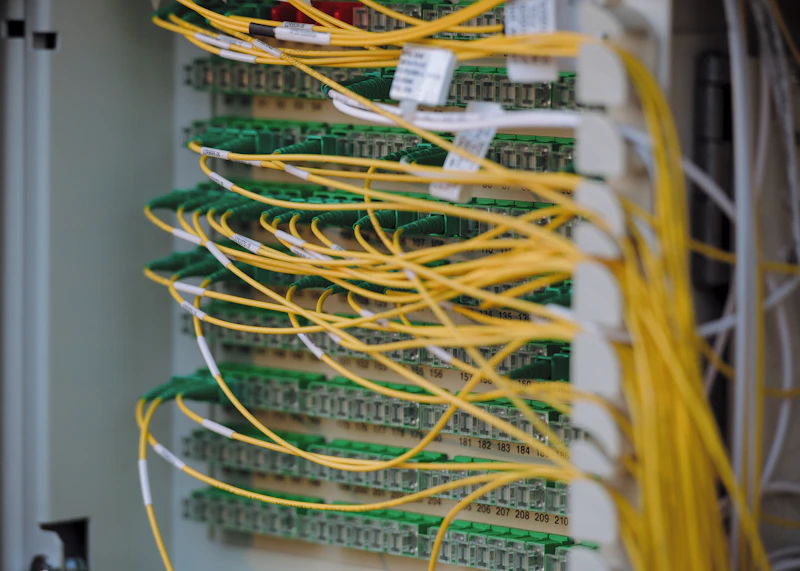
Define the Wireless Controller Field Package
Price the controller and AP physical work from the issued design and connection schedule. Record licenses, RF decisions, authentication dependencies and customer specialist availability separately so hardware completion is not confused with wireless service acceptance.
Controller Installation Readiness
Review the issued equipment list, AP schedule and physical interfaces. The customer platform owner confirms architecture, sizing, licenses and compatibility before the field release.
Physical Controller and AP Deployment
Install the approved physical controller equipment and assigned AP mounts and links. Match labels and port records to the issued schedule and return conflicting locations for approval.
Specialist Configuration Handoff
Coordinate field work with the customer's wireless specialist. That specialist owns AP groups, RF profiles, 802.11r/k/v and RADIUS/802.1X settings and accepts their behavior on the intended clients.
Physical Closeout and Acceptance
Return the agreed installed-device and cable records for buyer review. The customer operator accepts radio and application performance and assigns firmware, alerts and ongoing administration.
Unassigned Scope vs. a Released Controller Work Package
Compare each proposal's responsibilities, field evidence and receiving owners. Controller, cloud-managed and other architectures remain decisions for the customer's specialist; the physical installer follows the approved selection.
Wireless Installation Requirements by Environment
A hospital, office, warehouse or campus may need different AP placement and access arrangements. The responsible specialists decide the management architecture and acceptance criteria for the actual devices and applications.
Hospital Campus Wireless
The healthcare operator and RF specialist approve access, intended devices and acceptance criteria. SRS coordinates assigned physical installation under those releases; clinical use and roaming require specialist validation.
Multi-Floor Office Roaming
Install approved AP positions and physical links across the office floors. The wireless specialist selects mobility settings and tests the actual calling and meeting workflows.
Warehouse Handheld Scanner Networks
Coordinate AP mounting and cabling with released aisles and safe working areas. The RF specialist defines scanner tests under representative operating conditions rather than assume a universal roaming threshold.
Education Campus AP Deployment
Use the approved room and AP schedule to identify field work at each building. The education network team owns student and staff policies, licensing, controller administration and service acceptance.
Field Deployment That Follows Your Wireless Design.
A useful field handoff ties each installed controller or AP to its physical location and serving interface. SRS follows the released schedule and reports unavailable links, changed positions and other exceptions. The customer wireless team performs configuration and accepts coverage, roaming, security and application behavior.
Explore More from SRS Networks
Ready to Take Control of Your Wireless Network?
Send the approved controller and AP schedule, physical interfaces, site access conditions and required records. We will scope the assigned field deployment with your wireless specialist and identify remaining configuration and acceptance dependencies.