
RFP vs RFQ vs RFI for IT Projects
RFP vs RFQ vs RFI comes down to what you already know: an RFI gathers vendor information when you're still exploring, an RFP requests proposed approaches and pricing when you know the goal but not the method, and an RFQ requests fixed pricing on a fully defined spec. Pick wrong and vendor responses won't compare.
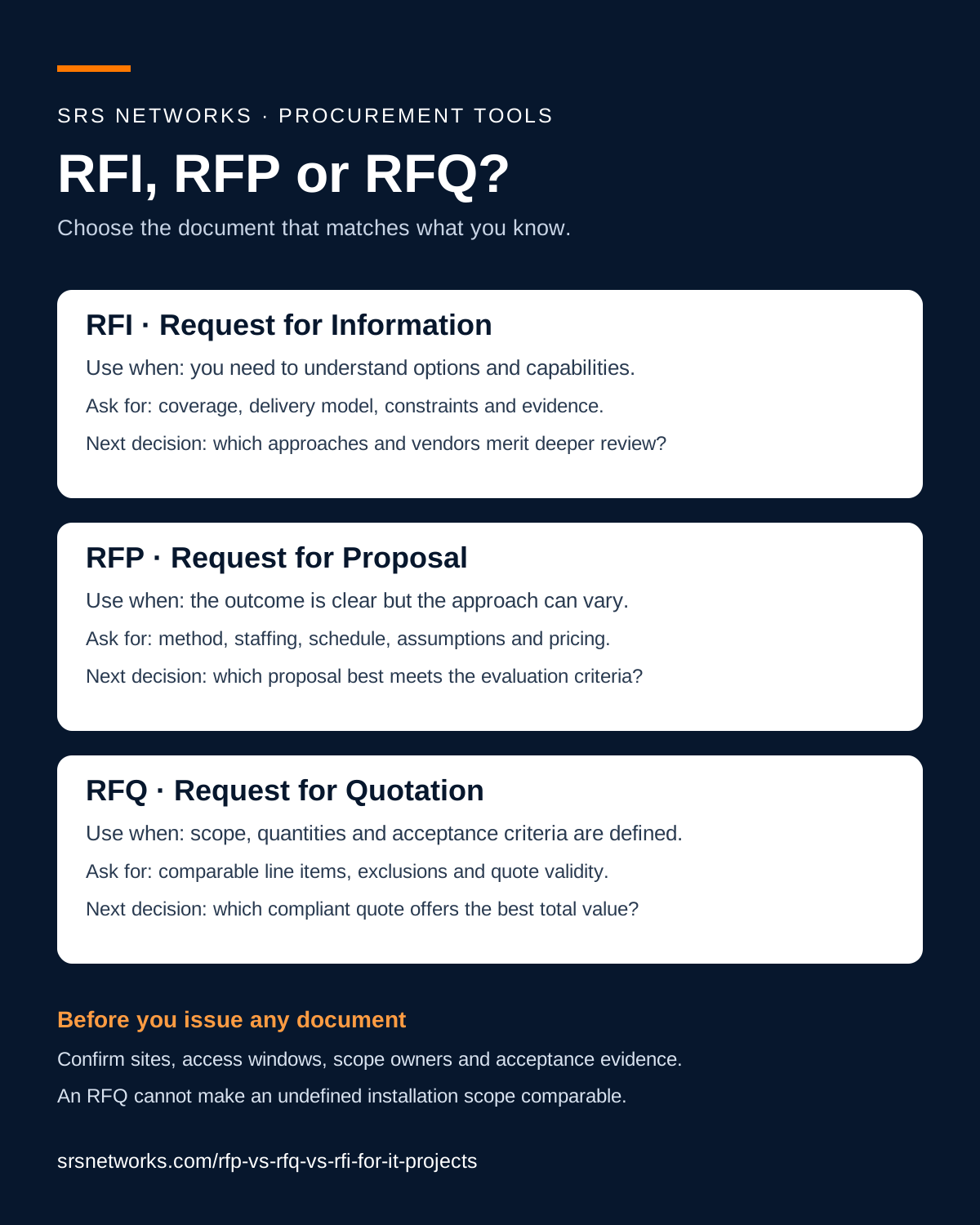
The 30-Second Answer
An RFI (Request for Information) is for early discovery — use it when you don't yet know what to ask for. An RFQ (Request for Quotation) is for fixed pricing on a known scope — use it when specs are already concrete. An RFP (Request for Proposal) is for solution-shaping — use it when vendor expertise needs to design the answer.
For most IT deployments — multi-site rollouts, network upgrades, cabling buildouts, security infrastructure — the right document is an RFP. Use RFQs only when scope is concrete (commodity hardware, architect-spec'd cabling, like-for-like replacements). Use RFIs only when you're evaluating an unfamiliar category for the first time.
RFI vs RFQ vs RFP — Side-by-Side Comparison
Eight dimensions across the three documents. The differences are operational — effort, format, response time, and what you'll actually receive.
| Dimension | RFI | RFQ | RFP |
|---|---|---|---|
| Stands for | Request for Information | Request for Quotation | Request for Proposal |
| Buyer goal | Learn what's possible in this category | Get fixed pricing on a known scope | Compare both approach and price |
| When to use | You don't yet know what to ask for | Specs are concrete (architect, engineer, or fully spec'd by you) | Vendor expertise needs to shape the solution |
| Vendor effort | Low (1-2 days) | Medium (3-7 days) | High (1-4 weeks) |
| What you'll receive | Capabilities, ideas, market education | Line-item prices against your spec | Architecture + scope + price |
| Typical IT use case | First-time SD-WAN evaluation | Buying 100 Cat6 patch cables | Multi-site network deployment |
| Average response window | 1-2 weeks | 1-2 weeks | 3-4 weeks |
| Average vendor bid count | 5-15 (low effort, broad participation) | 3-7 (commodity-driven) | 3-5 (selective, scope-driven) |
The Three Documents — Detailed
When each document exists for a different stage of buying. Here's what each one actually does and when to use it for an IT project.
What is an RFI (Request for Information)?
An RFI is an early-stage document buyers use to learn what's possible in a category. The buyer doesn't yet know what to ask for; the goal is vendor education, market scan, and narrowing the field of providers to consider.
- You're evaluating a new technology category for the first time (first SD-WAN, first zero-trust, first multi-site WiFi)
- You need to narrow a long list of potential vendors to a shortlist of 3-5 for a future RFP
- You're educating internal stakeholders before committing to a procurement process
What is an RFQ (Request for Quotation)?
An RFQ asks vendors to price a known, specified scope. The buyer already knows what they want — quantities, model numbers, install pattern. The vendor's job is pricing, not designing.
- The product is a commodity (Cat6 patch cables, specific SFP modules, branded firewalls)
- Architect or engineering firm has fully spec'd the scope (drop counts, cable types, pathways, panel locations)
- Like-for-like replacement of existing equipment with no scope changes
What is an RFP (Request for Proposal)?
An RFP asks vendors to propose both a solution and a price. The buyer knows the problem they're solving but needs vendor expertise to shape the solution — architecture, sequencing, scope, deliverables. RFPs are evaluated on technical fit, vendor experience, and methodology — not just price.
- Multi-site IT deployment (cabling + network + WiFi + security across 10-1,000 locations)
- You need vendor expertise to design the network, choose architecture, or sequence the rollout
- The solution involves multiple disciplines (low-voltage + IT + project management)
- You'll be evaluating on more than price (vendor coverage, experience, references, methodology)
Dedicated Guides for Each Procurement Document
The comparison above covers the basics. For full buyer's guides with downloadable templates, when-to-use frameworks, and SRS-vetted common-mistake lists, see the dedicated page for each document type.
What is an RFP?
For solution-shaping work where vendor expertise designs the answer. Free Word + PDF template.
Read the full guideWhat is an RFQ?
For fixed pricing on commodity hardware or architect-spec'd scope. Free PDF + fillable PDF pricing sheet.
Read the full guideWhat is an RFI?
For early discovery when you don't yet know what to ask for. Free Word + PDF questionnaire.
Read the full guideIT Procurement Examples — Which Document?
Six common IT scenarios with the right document and the reason. The pattern is about whether vendor expertise needs to shape the answer or just price it.
Buying 100 Cat6 patch cables for a single site
Use RFQThe product is a commodity. Specs are clear. You want price comparison only — no vendor expertise needed.
Deploying WiFi to 50 retail stores nationwide
Use RFPVendor expertise shapes the scope: predictive design, AP placement, controller architecture, multi-site coordination. Pure RFQ would underspecify and produce unworkable bids.
Evaluating SD-WAN for the first time
Use RFI then RFPUse an RFI to learn the SD-WAN landscape, get vendor education, narrow to 5-7 finalists. Then issue an RFP to those finalists with a defined scope.
Cabling a single-floor office buildout
Use It dependsIf your architect or design firm has spec'd cable counts, pathways, and panel locations: RFQ. If you need a contractor to design the cabling layout from your floor plan: RFP.
Multi-site IT rollout (cabling + network + WiFi + security)
Use RFPMulti-discipline scope, vendor coordinates execution across geographies, you're buying a deployment program — not commodity items. Always RFP.
Replacing 12 firewall appliances with the same model you already have
Use RFQHardware is spec'd, install pattern is known. Get pricing only. RFP would be over-engineered.
What We See Buyers Get Wrong
SRS Networks responds to ~200 IT deployment RFPs per year. These six mistakes show up most often — and each one costs the buyer 2-6 weeks of wasted timeline.
1. Issuing an RFQ when scope isn't actually concrete
If your scope says "deploy WiFi to all sites" or "upgrade the network," that's not an RFQ scope — that's an RFP scope. Vendors who quote against vague RFQs either underbid (and add change orders later) or overbid (and lose the work). You waste 4-6 weeks getting bids that don't compare.
2. Issuing an RFP when an RFI would have sufficed
Vendors burn 20+ hours per RFP response. If you're still figuring out what category of solution you want, asking for full RFP responses wastes vendor time and produces shallow answers. Issue an RFI first, then RFP only the 3-5 finalists.
3. Mixing RFP and RFQ language in the same document
Asking for line-item pricing AND solution architecture in the same document confuses vendors. Pick one mode per document. If you need both, issue an RFI → narrow to 3 vendors → issue separate RFPs to each.
4. Setting an unrealistic response window
Demanding RFP responses in 5-7 business days is the fastest way to get either pass-decisions from serious vendors or low-quality boilerplate from desperate ones. Standard window: 3-4 weeks for an enterprise RFP, minimum 2 weeks for an RFQ on non-commodity scope.
5. Hiding evaluation criteria from vendors
Vendors decide whether to invest 20+ hours based on whether they think they can win. If you don't tell them what you're optimizing for (price, experience, references, technology fit), the strong vendors pass and the weak ones bid. Always publish your scoring weights in the RFP itself.
6. Treating low bid as the win condition
The lowest IT deployment bid usually wins by excluding scope you'll need later (testing, certification, documentation, warranty, change orders). Lock the scope first, then evaluate price within that scope. Add a "price reasonability" criterion that flags bids more than 20% below the average.
Why We Pass on 30% of Inbound IT RFPs
SRS Networks responds to ~200 IT deployment RFPs per year. Roughly 30% we pass on — almost always for one of three reasons. If you want better responses on your next IT RFP, fix these before publishing.
More IT Procurement Resources
SRS-published utilities to help buyers scope IT deployments correctly.
IT RFP FAQ
The questions IT buyers, procurement leads, and project managers ask before writing their first IT RFP.
Resolve the scope before requesting bids
- Write an IT project RFQ
Use a fixed pricing request when the design and quantities are settled; keep unresolved design decisions in the RFP stage.
Want SRS Networks to Review Your IT RFP Draft?
Send us your RFP draft and we'll return comments within 3 business days — no cost, no obligation to bid. We catch missing scope, misaligned evaluation criteria, and timeline issues before vendors see the document.